window.dataLayer = window.dataLayer || []; function gtag(){dataLayer.push(arguments);} gtag('js', new Date());gtag('config', 'UA-141884085-1'); gtag('config', 'AW-761820283');

Blog

Lights Out for COVID-19

We are facing an unprecedented global catastrophe. At the time of this article, the COVID-19 virus has infected millions of people worldwide and claimed the lives of a quarter of a million. Human ingenuity, creative problem-solving, and a lot of bravery have helped to keep us moving forward. Smart machines and artificial intelligence have played a significant role in maintaining factory operations with minimal human presence while the majority of us quarantine daily.

importance of automation processSo-called “Lights Out” factories, a key part of the Industry 4.0 revolution, are equipped to handle the crisis we find ourselves in today. And COVID-19 may be the necessary impetus for all companies to convert old practices into new, incorporated and networked solutions that can operate with little or no direct human intervention. Let’s look at how automation processes and robotics are helping the world to continue functioning during a global lockdown.

How COVID has affected industry and supply lines

In almost every grocery store, shelves are bare and vital items are out of stock. This isn’t just because people are hoarding; the real culprit is the disruption to inventory supply lines. Human workers are self-quarantining and complying with stay-at-home orders, and this has slowed down shipping and delivery. What can we do to minimize the impact of stay-at-home orders on our distribution chain? Luckily, the solution already exists in many factories: Industry 4.0.

Lights-Out Factories

Simply put, robotics and automation can protect us from COVID-19. Businesses that incorporate Industry 4.0 practices reduce the need for on-site human presence in factories and distribution centers. Humans workers can monitor and even calibrate machines from home. As the name “lights out factory” suggests, these facilities can be run entirely in the dark because humans are not needed on-site. By converting to a lights-out factory and utilizing other automation processes, engineers and technicians are able to work remotely. People are able to minimize contact with each other and potentially contaminated surfaces. By reducing the number of people in the same place at the same time, automation processes can protect us from transmitting COVID-19 and other communicable diseases.

Advantages of moving forward

what is industry 4.0Scientists and doctors predict that this current global crisis will likely reappear in the winter, coincident with flu season. Factories and industry leaders have an opportunity, and maybe even the responsibility to, build the infrastructure for automated facilities. They can take advantage of the products and methods already available to switch to Industry 4.0. In doing so, not only do factories protect their workers and preserve the integrity of production flow, but they take advantage of energy-saving and resource-saving measures that will improve the environment.

At DIY-Robotics, we offer autonomous robots and cells that will help you convert your factory into an automated, Industry 4.0-ready facility. Check out our website at www.DIY-Robotics.com for more information on how to get your business COVID-proof by incorporating cutting-edge, self-regulating products and machines.

Interpreting the Three Laws of Robotics

Isaac Asimov is not only a pioneer of the science fiction genre, but he is also the creator of one of the most popularized concepts in robotics and A.I. theory: The Laws of Robotics. It is safe to say that all science fiction written about robots or artificial intelligence centers around either the adherence to these laws or, more likely, some deviation from them. But these laws are not only the product of an artist’s imagination; they are practical, pragmatic guidelines for how roboticists should program these advanced tools. These laws already govern the operation of many machines and computer algorithms, and in some cases, they have already been neglected.

Asimov’s Three Laws of Robotics

Asimov Three Laws of RoboticsIsaac Asimov was a visionary. His stories contain parables, allegories, and prognostications about the inevitable path of humankind. Asimov (correctly) predicted that robots would become ubiquitous in homes and industry. He also knew that there was an inherent danger in handing over the decision making responsibilities to artificial creations. So, Asimov came up with the Three Laws of Robotics as a plot device to create tension in his stories, but also as a way to guide future generations in their development of smart, thinking, inorganic beings.
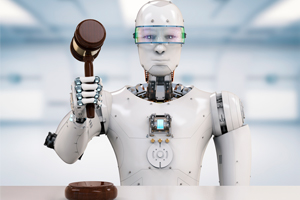
The Three Laws of Robotics are as follows:

  1. A robot may not injure a human being or, through inaction, allow a human being to come to harm.
  2. A robot must obey the orders given to it by human beings, except where such orders would conflict with the First Law.
  3. A robot must protect its own existence as long as such protection does not conflict with the First or Second Law.

And finally, Asimov extrapolated the Laws to all of humanity and derived the Zeroth Law of Robotics: A robot may not harm humanity or, through inaction, allow humanity to come to harm.

The Flaws of This Model

Like many forward thinkers, Asimov was not able to foresee all of the nuances of how the robotics and artificial intelligence industries would play out. There are numerous complexities involved with programming a computer to recognize what a human is. For example, how might a robot distinguish between a human and another robot that is designed to appear to be human? A simple task for us might be an unexpected challenge for an A.I.

Another problem, often referred to by the name given to it in the Terminator movies, is known as the “Skynet Problem.” What if robots become advanced enough to see the flaws in human thinking? Could robots override or ignore the Three Laws if they deem humans their own biggest threat? In other words, could robots reprogram themselves so that the Zeroth Law and Second Law supersede the first? Many worry that this outcome is not only a possibility, but probability. And we’re not talking about conspiracy theorists either. Notable leaders in technology and computer science such as Bill Gates, Elon Musk, and Alan Turing vocalized their concerns about the dangers of A.I. learning.

Technical Problems with The Three Laws of Robotics

Aside from the conceptual flaws, there are technical obstacles that prevent the Three Laws of Robotics from working successfully. For one thing, there is no standard model for what is “human.” We come in all shapes, sizes, and appearances. Some humans are in wheelchairs, while others have electronic devices, like pacemakers, embedded into them. How can a computer determine that someone who’s appearances or composition strays from the standard model is still human?

Attempts at Creating Valid Robotic Laws

determine realistic robot lawsSatya Nadella, a former CEO of Microsoft Corporation, told Slate magazine in 2016 what she thought might be a more realistic set of rules to govern intelligent robots and A.I. units:

  • “A.I. must be designed to assist humanity.”
  • Humans should know and be able to understand how A.I. units work.
  • A.I. must safely maximize efficiencies.
  • “A.I. must be designed for intelligent privacy,” meaning that it earns trust through guarding their information.
  • “A.I. must have algorithmic accountability so that humans can undo unintended harm.”
  • “A.I. must guard against bias” so that they must not discriminate against people.”

As technology evolves, ethical questions about A.I. and robotics become increasingly important. There will come a time when we will have to create real laws that govern the entire robotics industry and move past conceptual and philosophical thought-experiments. In the meantime, you can learn more about how robotics could help you in everyday industrial tasks by visiting DIY-Robotics and getting familiar with our friendly, safe robotics designed to work with just the right balance of autonomy and human control.

What IS the Best Programming Language for Industrial Robotics (Depending on Your Level of Skills)?

Numerous programming languages exist, each with its own advantages. Java is the most common programming language, and therefore the one your colleagues will likely be able to help you with the most. However, The C programming language and Python are both nearly as common, and all are highly regarded in the robotics industry. Visual programming languages, like LabVIEW, have made programming easy to understand and accessible to a variety of engineers. Depending on how well acquainted you are with programming, different languages offer different benefits. So, which one is right for you?

The Advanced Programmer

If you already have experience doing coding and developing for robotics, then chances are you are familiar with Java, C,  and Python. The C language, in particular, is used for embedded development and real-time high-level programming. This includes vision processing, control, and motion decision-making algorithms. They are the fast programming languages with better support to object-oriented programming, multi-threading, memory management and RAII.

Novice programmer

best programming language

If you know a little about programming but still need a fair amount of help and support, we suggest Java, MATLAB or LabVIEW. All three languages are popular, time-tested, and their online resources are abundant. Chances are, if you studied engineering in college, you have already used Java and MATLAB. LabVIEW is a refreshing alternative. This visual programming language is the proprietary software of National Instruments. It is built into products like myRIO and, formerly, cRIO. You may also be familiar with LabVIEW if you participated in Vex or FIRST Robotics in high school. While LabVIEW is great for beginners, it is powerful enough for novice programmers and pros alike.

Programming Newbie

If you have basic knowledge of programming, or you could use a refresher, Python, Arduino, and visual languages like LabVIEW are right up your alley. Python is easy to learn and a staple for applications like microcontrollers. However, Python is not suitable for applications requiring precise DOF control, iterative processes, or real-time vision processing. The trade-off is what you get in online libraries and support. Python experts offer some of the most thorough and fleshed-out resources. It is the ideal programming language for off-line programming.

Bonus Languages for AI

LISP

If you intend to work on AI and programming quite a bit, LISP would be a great option for you regardless of your skill level. LISP using list structure to represent data. Programs and data work with the same structure, so LISP programs can operate other systems as data. This means LISP programs are ideally suited for self-modifying or “learning” programs, i.e., artificial intelligence. Robust, simple, and internally reflexive, LISP is a great bonus language every roboticist should know.

Qt is another great bonus language worth picking up. This language allows programmers to develop software with the user interface in the foreground of their minds. Qt focuses on streamlining workflows and getting your product to market quickly and with a  professional, intuitive look and feel designed to hook your users and build brand loyalty.

Once you have chosen what language you want to code with, you can go ahead and download our ebook to learn more about how you can get started designing your own cell. The language you choose will be partly constrained by the application, but also by your comfort level. Make sure you choose a programming language that is compatible with your project but also versatile enough to work well with the knowledge base of the coder.

How Can AI Optimize your Robotic Process Automation?

As robots become increasingly ubiquitous, so does the demand for artificial intelligence. A robot workforce provides the biggest advantages when it can think, adapt, change, and learn all on its own. This necessarily leads to decreased human involvement and intervention. Factory owners can expect the field of AI to continue to evolve rapidly, and robots may soon possess computational skills that rival our own intellectual abilities.

ai robotics factoriesThe connection between the technologies

The goal of AI is to recreate the human thought process. So, it makes sense that if companies are implementing robotic automation to replace human workers in their factories, then AI has a key role in developing a superior automated process. In fact, this is already taking place. AI is responsible for making modern robots more flexible than their rigid predecessors. Individual units can be reprogrammed and repurposed for many tasks and several points in the assembly process. Like a human, AI allows these machines to learn how to perform these tasks more efficiently. Unlike a human, however, a robot with AI learns quickly and does not need retraining.

Industry Applications

Numerous industries already benefit from robotic automation. These same industries can compound those benefits with AI-powered process automation. Assembly, packaging, sorting, and machining factories are just some of the applications that can be leveled up by AI. But impressive hardware is only half of the solution. For example, AI is beneficial in adaptive vision systems for inspection. Accuracy, speed, and efficiency will improve when AI governs vision processing. Companies need to incorporate smart learning software too if they want to take full advantage of the 21st Century automated factory.

Chatbots

AI isn’t limited to the factory floor. Chatbots are already in use in our daily lives. From Siri and Alexa to intelligent phone systems that can redirect customers to the person best able to help them, chatbots have been quietly seeping into our culture for years. Like their factory floor counterparts, Chatbots handle the repetitive processes that do not require a human, and in some cases make the process smoother for all parties involved. Humans are great at jobs that require judgment calls. But if their just patching customers to the correct extension, they aren’t living up to their potential and the entire business loses out on having them in a more ideal position.

Are you frustrated with the AI phone system at your phone company? Think you could improve on it? Why not try this kit to see just how challenging it can be to create the perfect human analog.

Other Ideas for AI Applications

ai optimisationAre you set on implementing more AI in your business? Want some more creative ideas for applications? Not a problem. There are numerous resources. ElectronicsForU.com is just one of many places that provide ideas for neat little projects you can try at home. Tinker around with some of the most basic applications, and using this sandbox-method of brainstorming, who knows what you’ll be able to come up with? You can find tons of ideas on their website here.

New ideas are surfacing every day when it comes to how to merge AI and robotics. DIY-Robotics knows the marriage of these two fields is as promising as it is inevitable. For more ideas on how to implement versatile, dynamic robotic cells into your workflow, check out the resources at DIY-Robotics.com.

The Top 3 Best Robotic Automation Process Tools

Robotic process automation (RPA) provides numerous benefits over using humans to perform similar tasks. Among the advantages are improved standardization of workflow, reduced error rate, and superior management of repetitive tasks. Several RPA tools number among the best and most reputable on the market. So, how do you know which one to choose? Let DIY-Robotics walk you through some of the top robotic automation process tools and help you decide on the right one for your operational needs.

Another Monday

When you need complete automation from beginning to end, Another Monday is one of your best bets. This RPA tool features an intuitive, easy to navigate user interface built around the Muse drag and drop workflow configuration. This highly accurate analyzation tool minimizes information loss between the process user and the analyst. Another Monday features quick scaling that pulls tasks from a database and collects data along the way. With little idle time, Another Monday promises reliable, consistent process automation that no human workforce can match. Free up resources, eliminate errors, and preserve information integrity with one of the most trusted names on the market.

Linx

Linx is your top choice if you need automation quickly and with little setup. This no-code RPA is perfect for those who want an integrated development environment designer that can speed up development. With over 100 pre-built actions and automations, you’ll find Linx to be an out of the box solution. The cloud-based service is crucial for speedy deployment on any device. Easily integrate databases and systems, automate tasks and workflows, even create and host APIs. Develop apps that require triggering and processing requests from multiple systems. Build applications that require storing, querying and manipulation of data stored in NoSQL databases. Linx is fast, simple, and instantly deployable with the click of a button.

WinAutomation

WinAutomation turns your Windows desktop into an automation juggernaut. The Macro Recorder is a virtual autopilot that allows WinAuto to automate any repetitive task on your computer. Versatile, dynamic, and intuitive, WinAutomation reliably automates even web-based tasks. This RPA is fully compatible with Internet Explorer, Firefox, and Chrome. It boasts over 300 pre-build actions to help you get set up quickly and with no fuss. Send, receive, and process email automations; WinAutomation supports SMTP/IMAP exchange server protocols. If you want compatibility, user-friendliness, and a program you know will work with your existing workstation infrastructure, WinAutomation is your clear winner.

Robotic process automation is essential for companies looking to take the burden off of their human task force while simultaneously increasing productivity and eliminating errors. Put your most valuable resources where you need them the most, and leave the repetitive, menial tasks to the machines. Save time and money by automating ongoing processes with the software that is easy to set up, works with your software architecture, and makes the most sense for your company. Using the tools discussed here, you’re in the right direction to start programming your bot. Download our ebook to get started with your own RPA cell.

What kind of tasks can an industrial robotic arm do?

Industrial robotic arms are becoming more versatile with each successive generation. Major advances in encoders and motors and simplified programming environments let users task their robots with delicate motions and increased payloads, all while in smaller and more compact spaces. If you’re wondering how a robot could contribute to daily production in your company, then you need to keep reading to find out what an industrial robotic arm can do for you.

Tasks attributed to industrial robotic arms

welding task industrial robotic arm

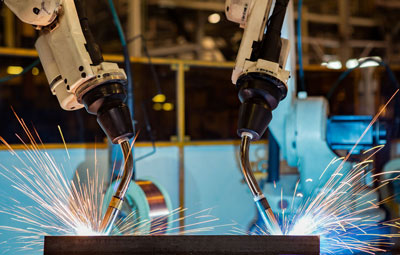
Pick-and-drop is the most common task a robot will perform. However, this is almost an underuse of your robot’s potential. Modern units come ready to be tasked with welding, cutting, routing and milling, assembly, machine tending, packaging and working with an injection press. In fact, if you look at the robot profiles on FANUC’s site, you’ll see the numerous tasks they have been designed to perform.

Modern robotic arms can perform complex and delicate tasks

Robots are helpful when it comes to simple, repetitive tasks. However, they now come programmed and designed to tackle complex tasks that would take a human a long time, pose a hazard, or require high torque in small spaces. Modern robots are capable of in-mold labeling, overmolding, insert loading, laser cutting. They are extremely versatile in material application and can handle everything from primer to plasma, and foam to tape. Precision, versatility, agility, and power allow these modern robots to outperform their progenitors by exponential bounds.

Reuse your robot to perform multiple tasks and extend its life

One of the biggest advantages of modern robotic arms is that they can be used for more than one task. You no longer have to purchase single-function robots that anchor to one place and are there virtually permanently. Nowadays, you have cobots and robotic cells that allow robots to be moved into other stages in the assembly process. Cells can be programmed to be useful for multiple tasks. Best of all, they are easy to move and even easier to integrate.

Freeing up personnel for parallel tasking

industrial robotic arm does parallel tasking

Robots eliminate or minimize the manual labor required of your staff. This is a significant benefit of having a reliable, versatile robotic arm in your assembly process. Humans are now free to accomplish other tasks and increase your overall productivity. Allowing robots and humans to parallel task ensures that all resources, human or mechanical, are in the optimal places on the factory floor. Humans do some tasks better, while others are carried out most efficiently by a robot. Having the best man/bot in the right place for the job will streamline your production line and cut down on interruptions, delays, and mistakes.

DIY-Robotics cells can do anything you want them to because you design them! Before you start building your cell, learn more about our process by consulting our Ultimate Guide to Build Your Own Industrial Robotics Cell.

add robots to your production line

DOWNLOAD NOW


4 Frequently Asked Questions About Cobots

The industrial robotics market is booming, and more than ever before companies are automating their production process using cobots. But what exactly are cobots? What makes them different from regular industrial robots? What advantages do they have? And what are their limitations? DIY-Robotics will help you decide if a cobot is right for your company by answering four frequently asked questions about collaborative robots.

What is a cobot?

questions about cobot safety

A collaborative robot, or a cobot, is engineered to cooperate with humans in a shared workspace. This is in contrast with standard robots, which are designed to operate autonomously, or with limited guidance in a closed-off robot cell. Cobots can sense and react to humans to prevent injury. By eliminating the need for a safety zone, factories can reclaim floor-space because cobots effectively have a smaller footprint than typical robots.

How do cobots work?

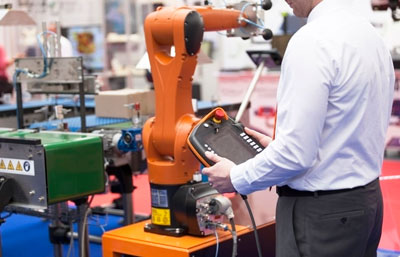
Cobots are notably easy to program. Simple tasks, such as pick-and-place, can be programmed with little knowledge of coding, often on a tablet. At the same time, cobots can be as robust and advanced as a traditional industrial robot. When connecting cobots to other machines, advanced programming can exponentially increase their usefulness.

questions about how cobot works

Cobots can easily adapt to different environments and can easily be assigned new tasks and configurations. As is the case with traditional industrial robots, the work done by cobots and humans working together is more consistent and accurate than what humans can do alone.

Can my company afford to buy a cobot?

The price of a cobot depends on many variables. Payload and intended use are the top indicators of price. Specific configurations, compatibility with other machines, and ability to be repurposed for multiple tasks are examples of elements that contribute to the variation of the price. Consider, however, that the return on investment is relatively fast. Decreases in workplace injuries, an increase in production, and round-the-clock manufacturing guarantee a return on investment. As one of the largest FANUC robotic arm integrators in Canada, DIY-Robotics offers a high-quality robotic cell, with the robot included, very close to the retail price of the robot alone!

Which cobot should I choose for my business?

Before you start automating, you need to ask yourself which robot is the best choice for your business. Ask yourself and your team the following questions: What long term flexibility do you need? How easy are the programming, installation, and setup? Is the end-of-arm tool optimally designed for your needs? What are the safety advantages of each specific model? What are the operational ranges (payload, reach, etc.)? If that still doesn’t narrow it down for you, check out DIY-Robotics’ online tool to help you design a robotic cell specifically for your company’s needs.

If you plan to buy an industrial robotic cell, we invite you to visit the DIY-Robotics forum. Our certified integrators will be happy to answer your questions and help you build the right cell for your company.

add robots to your production line

DOWNLOAD NOW


28 FANUC robot programming error codes (and what they mean)

troubleshoot fanuc robot programming error codes

FANUC robots set the standard for quality, reliability, and efficiency. When you purchase a FANUC robot, you can expect everything to work seamlessly and to get quality results from your investment. However, you may occasionally come across programming error codes that you should be aware of to keep your machines operating at peak efficiency.

An error code may seem like a sign that something is wrong, but really they are alerts that can tell you that something needs to be changed before your robot is damaged. By correctly identifying and understanding your FANUC robot programming error codes, you can protect your investment and keep it performing at its best for years to come.

Error codes and descriptions

INTP-105 (%s,%d) Run request failed

The program cannot be started.

INTP-248 (%s, %d) MACRO failed

The macro command can not be executed.

INTP-250 (%s, %d) Invalid uframe number

The number of the work plan is not valid.

INTP-251 (%s, %d) Invalid utool number

The number of the work tool is invalid.

INTP-252 User frame number mismatch

The selected workbench is not valid.

INTP-253 Tool frame number mismatch

The selected work tool is not the same as the position tool.

INTP-447(%s,%d) Parentheses mismatch

Bad parenthesis combination.

JOG-007 Press shift key to jog

The robot’s manual movement key was pressed but the SHIFT key was not pressed.

JOG-010 Jog pressed before shift

This code means that one of the robot’s manual movement keys was pressed before the SHIFT key was pressed.

MACR-013 MACRO execution failed

The macro cannot be executed.

MACR-016 The macro is not completed

The execution of the macro has been interrupted.

MOTN-018 Position not reachable

The requested position is inaccessible.

MOTN-019 In Singularity

The requested position is close to the singularity (parallel J4 and J6).

MOTN-063 Position config change (G :)

This alarm indicates that the robot is unable to go to the requested position. It cannot execute the movement.

PROG-048 Shift released while running (prog)

The SHIFT key was released while the program was running in T1 or T2 mode.

SRVO-003 or SRVO-234 Deadman switch release

The yellow buttons on the back of the controller have been released while the programming the robot in T1 mode.

SRVO-062 BZAL alarm (G :x A :x) or SRVO-084 BZAL alarm

Encoder batteries have low voltage or the encoder cable is disconnected.

SRVO-080 OVC alarm

The RMS current calculated by the “servo-drive” exceeds the allowed value. This alarm protects the motor and amplifiers against thermal damage.

SRVO-160 Panel/external E-stop

The controller emergency stop button or the external emergency stop has been pressed.

SRVO-161 Fence open or Deadman switch released

This alarm appears when the “deadman” buttons are released, or the robot’s fence is open.

SRVO-162 Deadman/Fence or Panel/External E-stop

This code appears when the “deadman” buttons are released, when the protective envelope (fence) of the robot is open, or when one of the emergency stop buttons is pressed.

SRVO-230 or SRVO-231 Chain (1 or 2) abnormal

This alarm appears if there is a break in Channel 1 (24V) or Channel 2 (0V) of the emergency stop circuit.

SRVO-324 Disturbance excess

The torque limit of a specific joint is reached.

SYST-003 TP is enabled

The robot lever selector is ON.

SYST-009 Safety Fence is open

The requested operation could not be completed because the enclosure’s secure envelope is open.

SYST-017 Single-step operation effective

STEP mode is engaged.

SYST-043 TP disabled in T1/T2 mode

The Mode Selector is in T1 or T2 while the Robot Controller Selector is ON.

SYST-045 TP enabled in AUTO mode

The Robot Controller Selector is ON and set in AUTO.

As you can see, there are a lot of error codes that can occur when using a Fanuc robot. Fortunately, DIY-Robotics gives you the resources you need to keep moving forward when you face a problem like the ones listed above. Contact our professionals to hear how we can work together to make your DIY-Robotics cell project a reality.

What is the Price of an Industrial Robotic Arm?

When you are investing in an industrial robotic arm, there is more to consider than the sticker price. For instance, how quickly you’ll see a return on your investment? Is the arm you’re considering versatile enough to handle multiple tasks or integrate with various stages of the automation process? How much will it cost to maintain the robot to keep your investment running in optimal condition? In this article, we’ll look at the true cost of a robotic arm and help you decide if it’s the right investment for your company.

How is the price of a robot determined?

cost industrial robotic arm

Payload capacity often determines the price of a robot. The more the robot can handle, the more engineering went into its design. As a rule of thumb : the bigger it is, the more expensive it becomes. However, complexity and versatility also factor heavily into the price. Through how many axes does the robot operate? How many degrees of freedom does the arm have? A 6-axis robot may be more expensive than a 4-axis, but if you’re in the business of packaging, for example, a 4-axis robot is likely sufficient.

Is it worth buying an industrial robotic arm for my business?

Industrial robotic arms offer many advantages that justify their price over their lifetime. For one thing, they are less likely to make errors than humans who can become fatigued or distracted. They are not prone to repetitive stress injuries like humans are. Robots do not require breaks and can work around the clock, potentially doubling (or more!) your production. Robot movements are more precise and consistent, reducing the number of recalled products or returned defective parts.

fanuc industrial robotic arm cost

Robots can also be repurposed for new tasks and reintegrated into the production line at different stages. With humans, there is a learning curve that can slow down the entire process. With robots, if they are properly programmed, they can move seamlessly from one job to the next without much adjustment.

How much does a DIY-Robotics cell cost?

Based in Quebec, DIY-Robotics is one of the largest FANUC robotic arm integrators in Canada. By integrating FANUC robots exclusively, we offer high-quality robotic cells at a competitive price. In many cases, we can get the price of your cell, including the robot, close to the retail cost of the robot alone! Contact one of our sales representatives for a quote.

Now that you understand how the price of a robotic arm is determined, it’s time to see how your automation project could become a reality. By working with DIY-Robotics to build your robotic cell, you’ll know you’re getting the best deal because you help design the robot cell according to your specific needs. Download our Ultimate Guide to Build Your Own Industrial Robotic Cell and get ready to enter into the Industry 4.0.

Our 6 Favorite DIY Robotics Kits

favorite diy robotic kits

DIY Robotics kits have been the hot item on everyone’s gift list for the past few years. Building and programming a robot is fun, and it also helps to foster the development of creativity and logical thinking skills. If you are looking for a gift for a beginner or advanced hobbyist, or if you’re buying for a kit for yourself, here are our six favorite DIY robotics kits from 2019.

Best Starter Robot Kits

SunFounder Robot Raspberry PiCar 

SunFounder Robot Raspberry PiCar DIY Robotics

Raspberry Pis are increasingly popular and becoming more affordable every year. As a result, Raspberry Pi-based DIY kits are ubiquitous at any hobby shop or online robotics retailer; and the Raspberry PiCar by SunFounder is one of the most popular kits available. The kit comes with ultrasonic, light, and line sensors and is easily programmable with the Dragit visual programming interface. The cost of the kit, which includes the Raspberry Pi, is just $ 119.

Robo Bit Buggy

The Robo Bit Buggy is one of the easiest kits to program and a great introduction to using Python and MicroPython. It has a simple but elegant design and comes fully equipped with line following sensors, ultrasonic distance sensors, and an 8-element LED bar. This kit is a great bargain at only $ 42 + shipping (from the UK).

LEGO Boost Robot

The LEGO Boost Robot is easily one of the best STEM kits available for younger children. The LEGO robot comes with nearly 850 LEGO bricks, one motor, a light/IR sensor, and the LEGO Move hub, which features two built-in motors. The kit can be made to assemble five unique robot formations and operates with the easy to use Boost app, compatible with your iPad or Android tablet. While this is a perfect gift for younger children, the Boost is not suited for older children. This kit is designed for children aged 7 to 12 and costs $ 159.99.

Best Robotics Kits for Advanced Programmers 

Elegoo UNO Robot Car Kit V3.0

Elegoo UNO Robot Car Kit V3.0 DIY Robotics

Elegoo has created a fun, easy to build, easy to program robotic car powered by their own Arduino UNO clone microcontroller. The kit comes with motors, ultrasonic, and line following sensors. Since it is Arduino compatible it can be programmed through the Arduino IDE or by any C++ based environment. The kit comes with several pre-built applications such as obstacle avoidance and line following, but you can get really creative with everything that’s included. From Elegoo’s website, you can purchase this kit for $ 99.

Pololu Zumo Robot v1.2

The Zumo Robot by Pololu comes fully assembled and powered by an Arduino-programmable microcontroller. So what makes it so great? At just 10 cm x 10 cm, it’s tiny enough to qualify for the Mini Sumo competition. With two micro metal gears and a bulldozer style blade, you have a rugged and durable design. Where it really shines, though, is with its six infrared sensors, a three-axis accelerometer, a magnetometer, and a gyroscope. You will have your hands full programming the Zumo, so you’ll be happy they shipped it preassembled. At $ 99.95, it’s one of the best values on this list.

Makeblock “Ultimate 2.0” 10-in-1 Robot kit

Makeblock “Ultimate 2.0” 10-in-1 Robot kit DIY robotics

The Ultimate 2.0 is Makeblock’s flagship robot kit. With ten different pre-packaged projects, this kit will keep even the most experienced hobbyist busy for quite a while. You can program in a Scratch-based graphical environment, or with Arduino or Python if you want to take your skills to the next level. Wirelessly control the robot over Bluetooth via the Android and iOS apps. The rugged and durable 6061 aluminum framing will stand up to all of the projects included in the kit and most anything else you can think to design. The Makeblock will set you back $ 350, but that works out to a great value of just $ 35 per project!

If you are an engineer or a programmer who’s passionate about industrial robots and cobots, our DIY projects will stir your curiosity. At DIY-Robotics, we work alongside FANUC to provide you with the resources you need to design and build your own robotic cell. Teaming up with DIY-Robotics provides numerous benefits to your business. For more information, consult our Ultimate Guide to Build Your Own Industrial Robotics Cell.